

Developer solutions
Embedded payments
Read more

Payment links let customers click and pay in seconds — no website needed. Learn how payment links work, their benefits, and how to get started.
Sometimes a business needs a simpler way to take payments. Maybe you don’t have a website yet, or the one you’re building isn’t ready to sell. Maybe you’d rather send digital invoices instead of paper ones. Or maybe your customers just want a faster, easier way to pay — one that doesn’t involve mailing a check or creating an account on a website.
Payment links were built for exactly these moments. They make it easy to send custom, digital invoices by text, email, or social media that customers can click and pay in seconds, all under your brand.
Let’s break down what payment links are, how they work, what the benefits are, and what to keep in mind when you’re getting started.
A payment link is a secure link that takes your customer to a digital checkout page where they can pay you — no website, cash register, or card reader required. You’ll sometimes see this called pay by link. You create the link from your payment dashboard, send it through whatever channel your customer prefers, and they pay from their phone or computer in a few taps.
Behind the scenes, the link opens a hosted checkout page that carries your business name and branding. Your customer enters their payment details, pays by card or bank transfer, and the money lands in your account like any other sale. There’s nothing for the customer to download and no account for them to create.
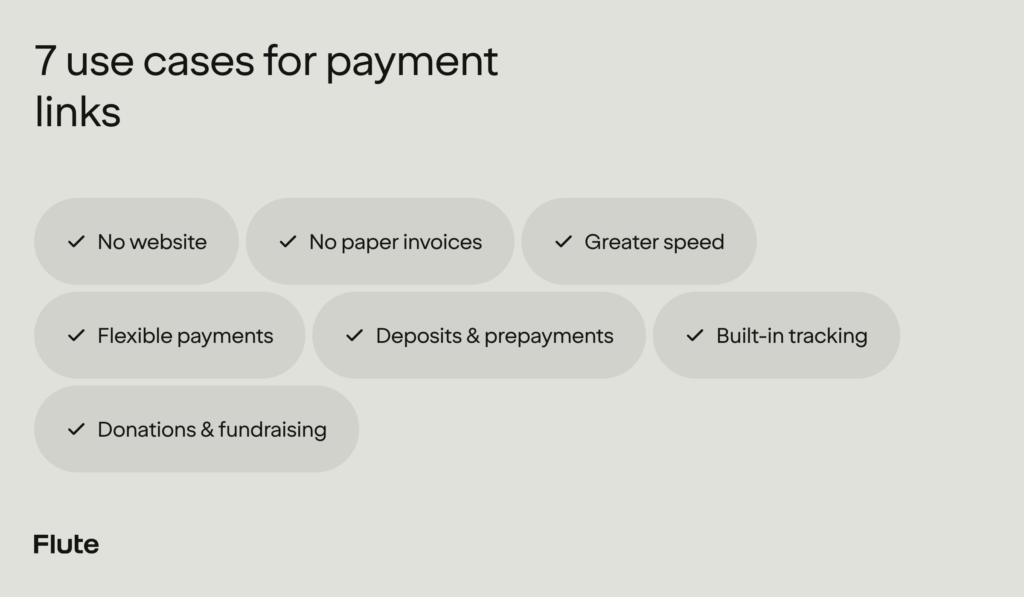
Payment links are also flexible. Here are a few examples:
With payment links, you can customize and accept digital payments right from your dashboard.
The biggest benefits are more completed payments and fewer lost sales.
Online checkout loses more sales than most operators realize. Baymard Institute’s checkout usability research puts the average cart abandonment rate at just over 70%. A meaningful share of that loss is preventable. Another Baymard survey of U.S. shoppers found that 19% had abandoned an order because they didn’t trust the site with their card information, 18% because the site wanted them to create an account, and 17% because the checkout process was too long or complicated.
Local businesses feel this friction, too. In our recent study, The Visibility Problem, 37% of consumers said they had already decided not to complete a purchase at a local business because paying felt too inconvenient or confusing.
Payment links remove those sticking points. Customers can pay wherever, and however they want — from a text thread, an email, or a social post — without creating an account or reading a card number over the phone. And because the checkout page carries your name and brand, there’s no confusion about who they’re paying.
There’s a speed benefit as well. A link can be in your customer’s hands seconds after the work is done or an order is confirmed, which means the payment starts moving days earlier than mailed invoices ever allow.
It’s also the direction customers are already heading: digital payments are projected to reach $46.25 trillion in global transaction value by 2031. Businesses that offer digital payment methods can give customers the experience they already expect — with no hassle or frustration.
Payment links are useful in everyday situations. If one of these sounds familiar, ask your payment provider whether they offer payment links:
That last one is easy to overlook. Because every link lives in your payment dashboard, each payment is logged the moment it happens: no sticky notes, and no wondering which job a deposit belongs to.
Picture a wedding photographer between shoots. A couple confirms their date over Instagram, and instead of drafting an invoice email from the car, the photographer replies with a deposit link. The couple pays before the conversation ends, and the date is booked.
Any business can use a payment link, but they work best wherever payments happen outside a traditional register.
Retail and boutique merchants can turn social posts and DMs into a checkout, selling to followers who never visit a website. Service professionals like photographers, coaches, tutors, and freelancers can drop a link into a bio or booking message to turn interest into income. Home services businesses (contractors, cleaners, and landscapers) can send a link when the work wraps up and get paid before the tools are back in the truck.
Health, wellness, and fitness businesses like salons, spas, and studios can sell sessions, memberships, and packages through links in booking confirmations. And in food, hospitality, and events, operators can use links to collect deposits, pre-orders, and ticket payments.
Creating a payment link takes less time than you might think. On most platforms, the process looks like this:
After the link goes out, the dashboard handles the bookkeeping. You can check any link’s status, payment count, and amount collected at a glance, and you can deactivate a link the moment you no longer need it. If a price changes or a job gets rescheduled, updating the details takes seconds.
If you can send a text, you can use payment links. To get started, confirm that your payments platform offers them, ideally alongside the rest of your payment tools, so every sale lands in the same reporting no matter where it happens.
That’s exactly how payment links work at Flute. From the Flute dashboard, you can create a link in under a minute, share it anywhere, and let customers pay on a checkout page that carries your brand. Every transaction flows straight into your existing Flute reporting, and you stay in control of every link you’ve shared.
When you’re ready to go beyond a single link, Flute’s checkout experience gives you a full online checkout page, with the same simple setup and the same dashboard behind it.
Ready to get started? Reach out to our team to see how payment links could help your business get paid faster.